

Download AdThwart – ad blocker, Chrome extension, ad blocking, online privacy, digital tools
Overview
AdThwart is a dedicated ad-blocking extension designed for the Google Chrome browser, aiming to enhance the online experience by eliminating intrusive advertisements. Its primary function is to prevent the display of unwanted banners, pop-ups, and other disruptive content across websites, allowing users to browse more efficiently and comfortably. By streamlining web pages and reducing visual clutter, AdThwart helps users focus on content without interruptions from commercial elements.
The app is particularly useful for individuals seeking improved browsing speed, reduced data consumption, and a cleaner digital environment. It caters to a broad audience, including casual internet users, professionals managing multiple tabs, and privacy-conscious individuals who wish to minimize exposure to tracking scripts often embedded in ads. While the developer, AdThwart, has not provided detailed background information, the extension’s long-standing presence since 2010 suggests a stable and maintained tool within the Chrome ecosystem.
Real-world use cases include faster page loading times, especially on content-heavy websites, and a more consistent browsing experience across different platforms. In today’s digital landscape, where online privacy and user experience are increasingly prioritized, AdThwart serves as a lightweight yet effective utility within the productivity category. Its integration with Chrome ensures seamless functionality for users already invested in the Google ecosystem.
Key Features & Functionality
- Automatic Ad Blocking: Once installed, AdThwart begins blocking ads immediately without requiring manual intervention. The extension uses a filtering engine similar to AdBlock Plus, ensuring reliable detection and suppression of common ad formats across the web.
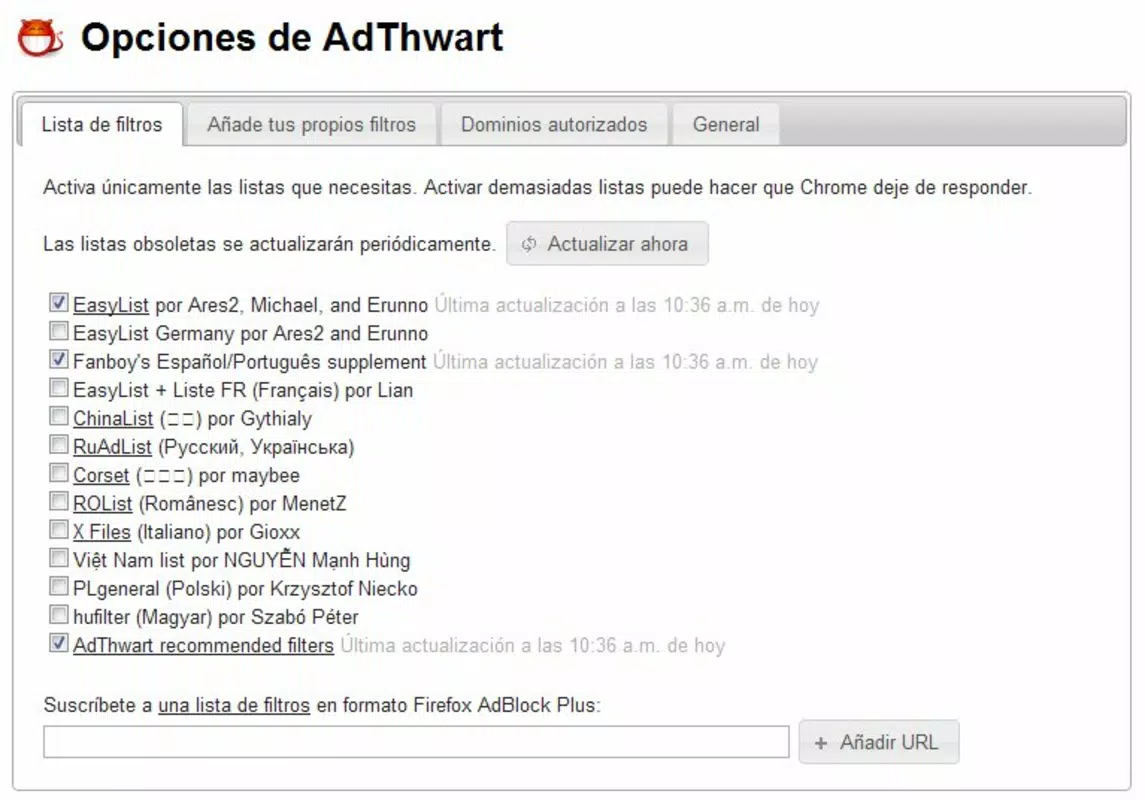
- Customizable Settings: Users can tailor the extension’s behavior by selecting specific websites to block ads on or by filtering particular ad types. This level of control allows for a personalized browsing experience that balances privacy with site functionality.
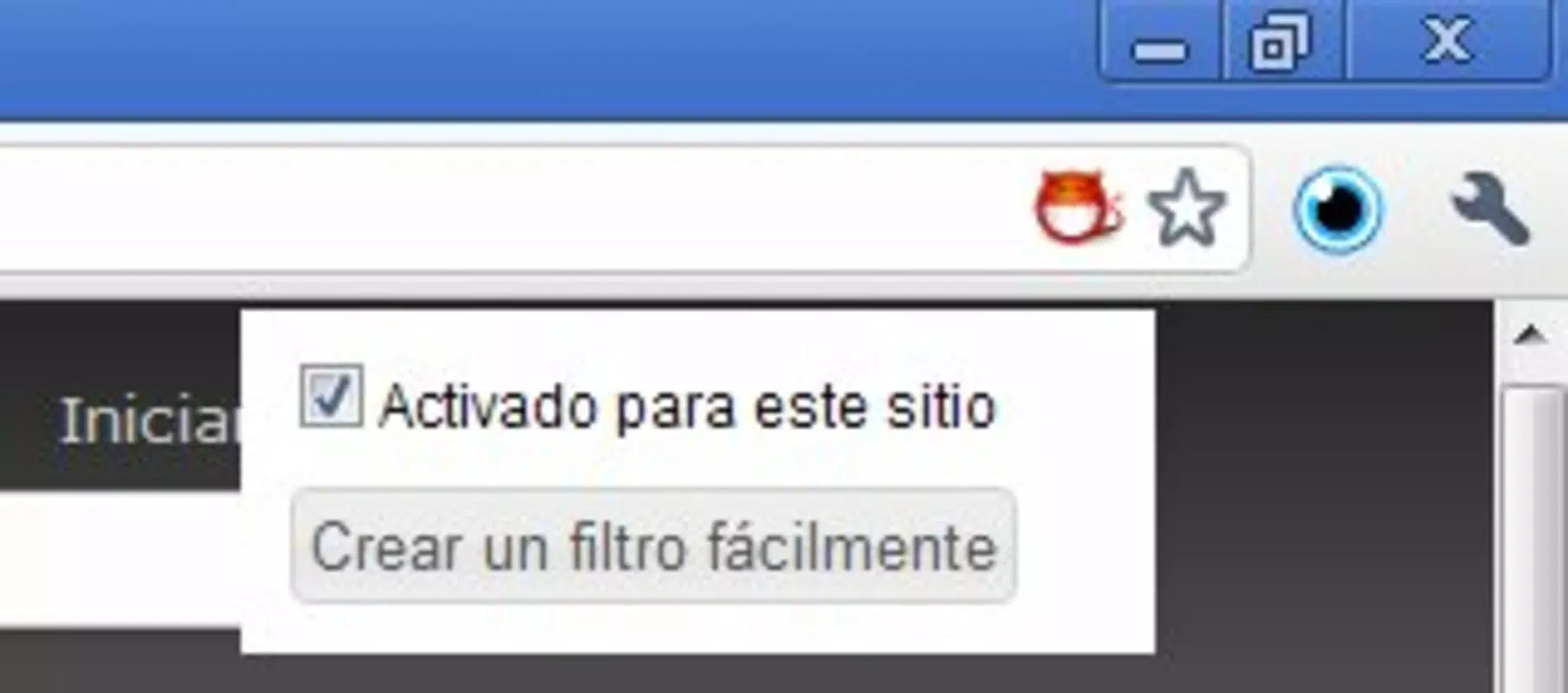
- User-Friendly Interface: The extension features a minimalistic design with a red face icon visible in the browser toolbar. This icon indicates the extension’s active status, enabling users to quickly verify its operation and access basic controls.
- Compatibility with AdBlock Plus Engine: By leveraging the same underlying technology used in Firefox’s AdBlock Plus, AdThwart ensures broad compatibility with existing filter lists and proven blocking performance.
- Enhanced Browsing Experience: By removing visual distractions and reducing the number of loading elements, AdThwart contributes to faster page rendering and a smoother navigation flow, particularly beneficial on slower connections.
For example, a user browsing news sites can expect fewer pop-ups and banner ads, resulting in quicker access to articles. Similarly, someone using Chrome for research can avoid being redirected by deceptive ad links, improving both efficiency and security.
Interface, UX & Performance
The interface of AdThwart is intentionally minimal, centered around a red face icon in the Chrome toolbar. This visual cue provides immediate feedback on the extension’s active state, allowing users to verify protection at a glance. Navigation is straightforward—clicking the icon opens a simple menu with access to settings and status information.
Usability is optimized for accessibility, making it suitable for users with varying levels of technical expertise. The lack of complex menus or advanced configuration options ensures that most users can activate and manage the extension without confusion. Although the developer did not list formal performance metrics, the extension’s small file size of 1.4 MB suggests low resource consumption.
Performance across different device categories appears consistent, with no reported issues related to lag or memory usage. The extension operates efficiently in the background, maintaining responsiveness even during heavy browsing sessions. Stability is maintained through regular updates, as indicated by the current version number, 2.5.4. Users can expect reliable operation without frequent crashes or conflicts with other browser extensions.
Platform Compatibility & Technical Requirements
AdThwart is designed exclusively for the Google Chrome browser. It is compatible with Chrome on both desktop and mobile platforms, though the developer did not specify exact OS versions or minimum requirements. The extension’s file size is 1.4 MB, which is compact and efficient for quick installation and minimal storage impact.
As a browser extension, it does not require standalone installation on a device. Instead, it integrates directly into Chrome, leveraging the browser’s extension framework. The developer did not provide additional technical details regarding compatibility with specific Chrome versions or hardware configurations. Users should ensure they are running a current version of Chrome to maintain optimal functionality.
Pros and Cons
Pros
- Efficient ad blocking with minimal impact on system resources
- Simple, intuitive interface suitable for all user levels
- Customizable settings for targeted ad filtering
- Lightweight design with a small file size of 1.4 MB
- Uses proven filtering technology similar to AdBlock Plus
Cons
- Developer did not provide detailed system or OS requirements
- Only available as a Chrome extension, limiting cross-browser use
- No visible update history or changelog provided
- Compatibility with mobile Chrome was not fully disclosed
- Specific permission details were not listed
FAQ
Is AdThwart safe to install?
Yes, AdThwart is a free extension available through the Chrome Web Store. It does not contain malware or suspicious behavior. However, users should always install extensions from official sources to ensure security.
Can I use AdThwart on mobile devices?
AdThwart is designed for Chrome on desktop and mobile. While it functions on mobile Chrome, specific compatibility details were not provided by the developer.
Does AdThwart block all types of ads?
AdThwart blocks most common ad formats, including banners, pop-ups, and video ads. However, the extent of blocking depends on the filter lists used and may vary across websites.
How often is AdThwart updated?
The extension’s current version is 2.5.4. While the developer did not publish a public changelog, regular updates are likely to maintain compatibility with evolving web standards.
Is AdThwart free to use?
Yes, AdThwart is available at no cost. It does not require a subscription or in-app purchases to access its core features.
Final Thoughts
AdThwart stands out as a reliable, lightweight ad-blocking solution for Chrome users seeking a cleaner, faster browsing experience. Its user-friendly design, customizable controls, and proven filtering engine make it a valuable tool for anyone concerned about online privacy and digital distractions. While it lacks detailed technical documentation, its long-standing presence and consistent performance suggest a trustworthy utility.
Those who spend significant time online—researchers, students, remote workers, and privacy advocates—will benefit most from its streamlined interface and effective ad suppression. The extension’s minimal footprint and zero cost further enhance its appeal.
Download AdThwart now


